
Technical SEO Field Reference, Question 10 of 66. The interview answer, checked against what Google currently documents.
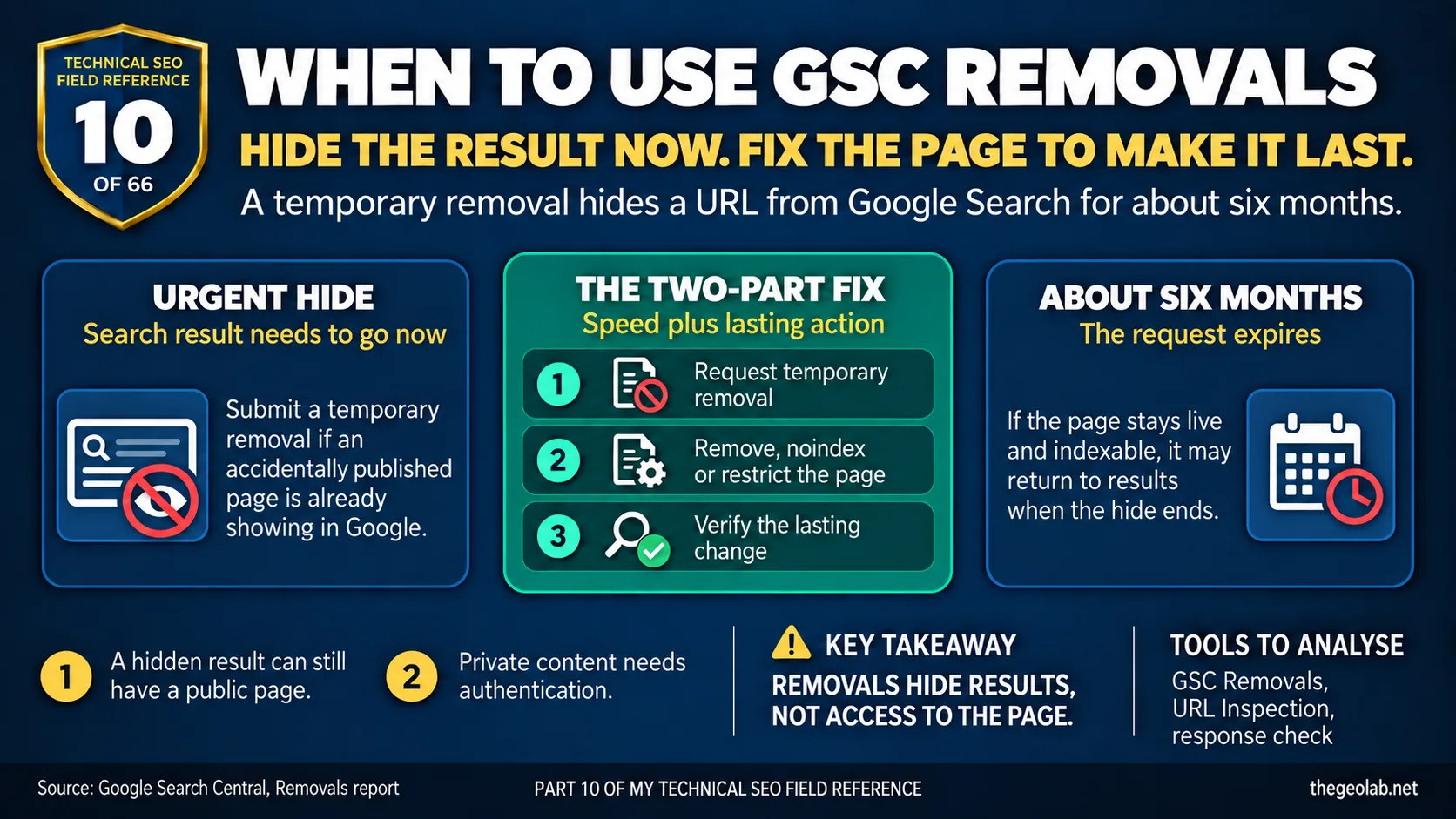
Use Search Console’s Removals tool when a URL needs to disappear from Google Search results urgently. A temporary removal hides it for about six months; it doesn’t delete the page or permanently keep it out of Google. To make the removal last, you also need to delete the page and return a 404 or 410, add noindex to a crawlable page, or put private content behind authentication. Google’s Removals tool documentation makes the temporary limit clear.
This is the tool I’d reach for if a client rang to say an accidentally published page was already appearing in Google. They need the result hidden quickly, while we sort out what should happen to the page itself.
For a routine batch of pages I want out of the index, I’d work on the pages instead. There’s no need to put a six-month hide on every URL via the Removals tool and then remember to come back to it.
What Google says about the Removals tool
A temporary removal request via the Removals tool hides a URL from Google Search results for about six months. It doesn’t stop Google crawling the URL, and the page may appear again after the request expires if nothing else has changed. Google says permanent removal needs another action, such as removing the content, serving noindex or requiring authentication. Source: Google Search Central, Removals tool.
The Removals tool interview answer
I’d use the Removals tool when the search result itself needs to go urgently, then fix the page or its access settings straight away. If it was published by mistake and should no longer exist, I’d remove it and check it returns 404 or 410. If it must remain available to some people but stay out of search, I’d choose noindex or authentication according to whether the content is public or private. The Removals tool request covers the wait while Google processes that lasting change.
When to use the Removals tool and when not to
| Situation | Would I use the Removals tool? | What else needs doing? |
|---|---|---|
| A private page appears in results | Yes, urgently | Restrict access or remove the page |
| A page was published by mistake | Yes, if it needs hiding now | Remove it or add noindex |
| A deleted page is still listed | Sometimes, if the result is urgent | Confirm it returns 404 or 410 |
| Low-value pages need routine de-indexing | Usually no | Add noindex while they remain crawlable |
| Google shows stale page information | Use the outdated-content option if applicable | Correct the live page |
| You want Google to choose a different duplicate URL | No | Review canonicalisation and internal links |
A real-world Removals tool example
Say an internal pricing page was accidentally made public and is now showing in Google. I’d submit the temporary removal via the Removals tool so the result can be hidden quickly. In the same session, I’d deal with the actual exposure: take the page down or require authentication if authorised staff still need it.
I wouldn’t call that job done when Search Console says the Removals tool request succeeded. I’d check that the page is no longer publicly accessible where necessary, verify its response, and confirm Google has processed the lasting change.
What the Removals tool does and what it doesn’t
The Removals tool acts on what Google shows in Search, not on access to the page. Someone with the URL may still be able to open it. Google may still crawl it. That matters most when the content is sensitive: hiding a result cannot make a public page private.
There’s also an expiry date. If the page is still live and indexable when the temporary hide ends, it may return to results. That’s why I treat the Removals tool request as a way to gain time for the page-level fix, then verify both parts.
This connects to the broader principle in this series: blocking a URL from crawling doesn’t guarantee it leaves the index, and the Removals tool hiding a result doesn’t guarantee the page stays hidden. Both need a second, lasting action. The same two-step thinking applies when you investigate pages Google crawled but chose not to index: the status tells you the current state, not the permanent outcome.
The Removals tool interview trap
The useful interview answer is to say when speed matters, name the lasting action and explain how you’d check it worked. “I removed it in Search Console” doesn’t cover those last two steps.
The trap is treating the Removals tool as a de-indexing method rather than as a temporary measure. If the candidate reaches for the Removals tool for routine de-indexing, that tells me they’re solving the symptom without addressing the cause. The 404 errors question in this series covers the same principle: the status code or tool reports the state, but the fix lives in the page itself.
Takeaway
The Removals tool buys you time. Use it when speed matters, then make the lasting change to the page. Check both parts before calling it done.
Part 10 of my Technical SEO Field Reference: 66 interview questions answered from what Google currently documents, what we observe in practice, and where the two do not match.
Have questions about this topic? Contact The GEO Lab · Return to homepage