
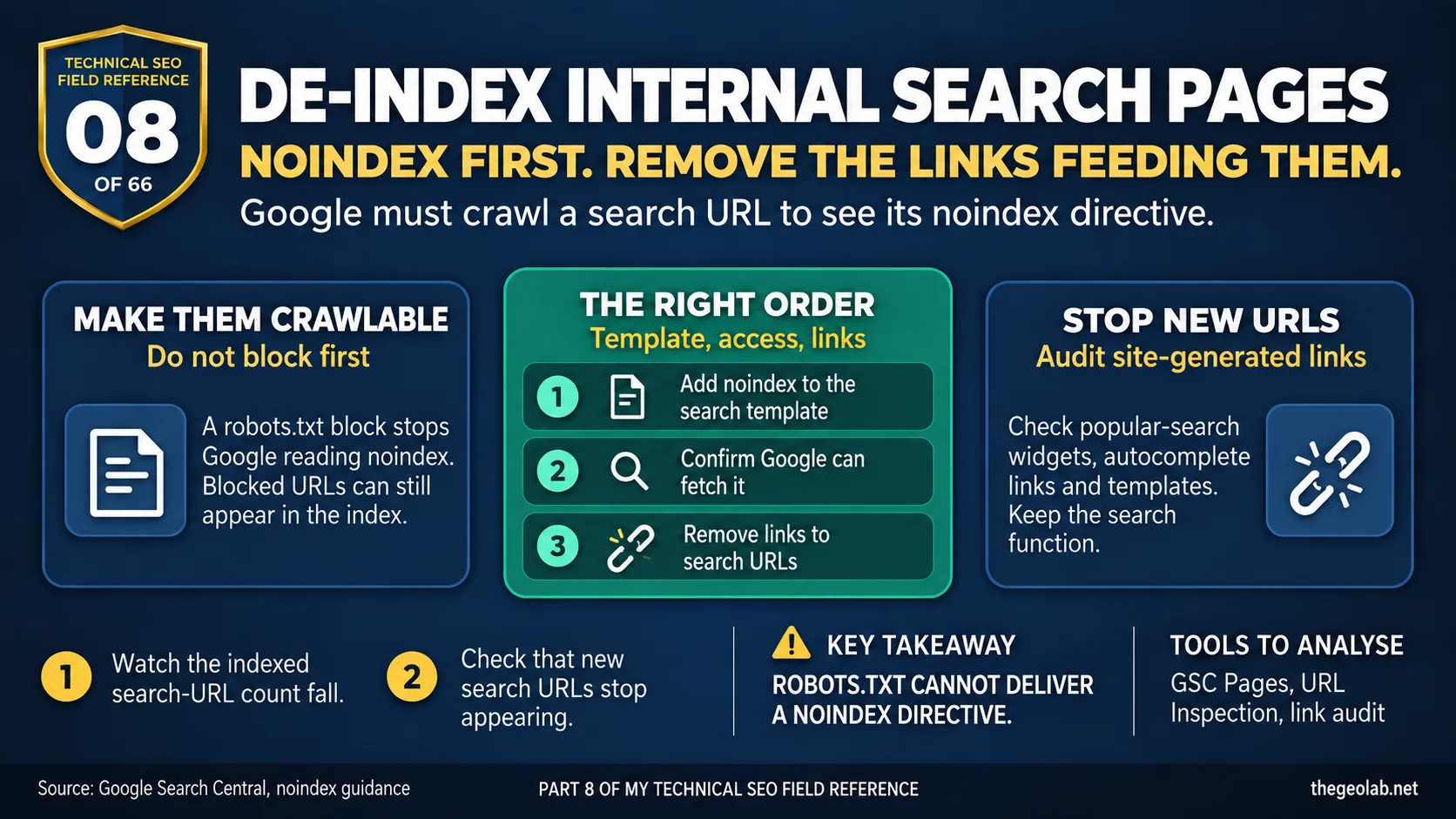
Technical SEO Field Reference, Question 08 of 66. The interview answer, checked against what Google currently documents.
I’d add noindex to the internal search-results template, make sure Google can crawl those pages to see it, and remove the site links that keep pointing Google towards search URLs. I wouldn’t block them in robots.txt first. Google can’t read a noindex directive on a page it isn’t allowed to fetch, and a blocked URL can still appear in the index if other pages link to it. Google’s guidance on noindex is clear on that point.
Internal search pages have a habit of multiplying quietly. Someone searches your site, the query gets its own URL, and a “popular searches” widget links to it. Do that often enough and Search Console starts showing thousands of /?s= pages you never intended to publish.
The tempting fix is to block the pattern in robots.txt. I understand why: it feels like shutting the door. But if some of those URLs are already indexed, you’ve also stopped Google from seeing the instruction that would remove them.
What Google says about how to deindex internal search pages
Google says robots.txt controls crawling; it isn’t a way to keep a page out of the index. For noindex to work, Google needs to be able to fetch the page and read the directive. Source: Google Search Central, robots.txt introduction.
Google’s noindex documentation is equally direct: to use noindex, Google must be able to crawl the page. If the page is blocked by robots.txt, the noindex won’t be seen.
That gives you the order: make the search pages crawlable, serve noindex on them, then let Google revisit the URLs.
The deindex internal search pages interview answer
I’d put noindex on every internal search-results page and check that robots.txt isn’t blocking Google from reading it. Then I’d find and remove the internal links feeding those URLs, such as “popular searches” widgets or autocomplete links. I’d track the indexed search-URL count as Google recrawls them, and check that the site isn’t continuing to introduce new ones.
The template change matters because it covers every search query, including URLs you haven’t seen yet. The link audit matters because a noindexed search page can still be discovered and crawled repeatedly if the site keeps linking to it.
How to deindex internal search pages in practice
| Step | What I’d do |
|---|---|
| 1. Noindex the template | Add a meta robots noindex or X-Robots-Tag directive to the search-results template. |
| 2. Confirm crawlability | Test a few search URLs and confirm Googlebot can crawl them and see the directive. |
| 3. Cut the internal links | Remove search-URL links from widgets, autocomplete and other templates. Keep the search function; check what it publishes as links. |
| 4. Monitor indexed count | Allow time for recrawling, then watch the indexed /?s= count in Search Console and check for new URLs. |
| 5. Temporary removal if urgent | If an urgent URL needs hiding while Google recrawls it, use Search Console’s Removals tool as a temporary measure. |
A real-world example of deindexing internal search pages
Say a site has 40,000 indexed search URLs and a footer widget linking to “trending searches”. I’d start with the search template and that widget. Blocking /?s= immediately would stop Google fetching the pages, including the ones I need it to revisit to see noindex.
I’d call the work successful when the indexed count is falling and the site has stopped linking to fresh search-result URLs. A new robots.txt rule on its own wouldn’t tell me either of those things.
Why the order matters when you deindex internal search pages
A page can carry noindex and be blocked in robots.txt at the same time. From our side, that looks like two ways of keeping it out. From Google’s side, the crawl block wins first: it can’t fetch the page, so it can’t see the noindex.
That’s also why I’d be cautious about adding a crawl block later. If search URLs can still be created or linked from elsewhere, Google may need to fetch them to see the noindex directive. I’d make that decision based on what’s still generating URLs, rather than treating robots.txt as the final step in every case.
This is the same principle behind the crawl budget question in this series: understanding that crawling and indexing are separate stages, and that blocking one doesn’t necessarily control the other. It also connects to crawl traps, where the real fix is stopping the template from generating URLs in the first place, and to the crawled – currently not indexed investigation, where the question is why Google chose not to index a page it already fetched.
The deindex internal search pages interview trap
The interview question sounds like it’s asking for a directive. The trap is answering with just the directive and missing the template.
If the candidate says “add noindex” or “block in robots.txt” and stops there, the indexed pages may disappear while the site carries on making new search URLs. The stronger answer covers both sides: what stops the current pages being indexed and what stops new ones being created.
Takeaway
To deindex internal search pages, noindex the template, keep the pages crawlable so Google can see the directive, and cut the links that keep regenerating them. The order matters more than the tool you pick.
Part 08 of my Technical SEO Field Reference: 66 interview questions answered from what Google currently documents, what we observe in practice, and where the two do not match.
Have questions about this topic? Contact The GEO Lab · Return to homepage