
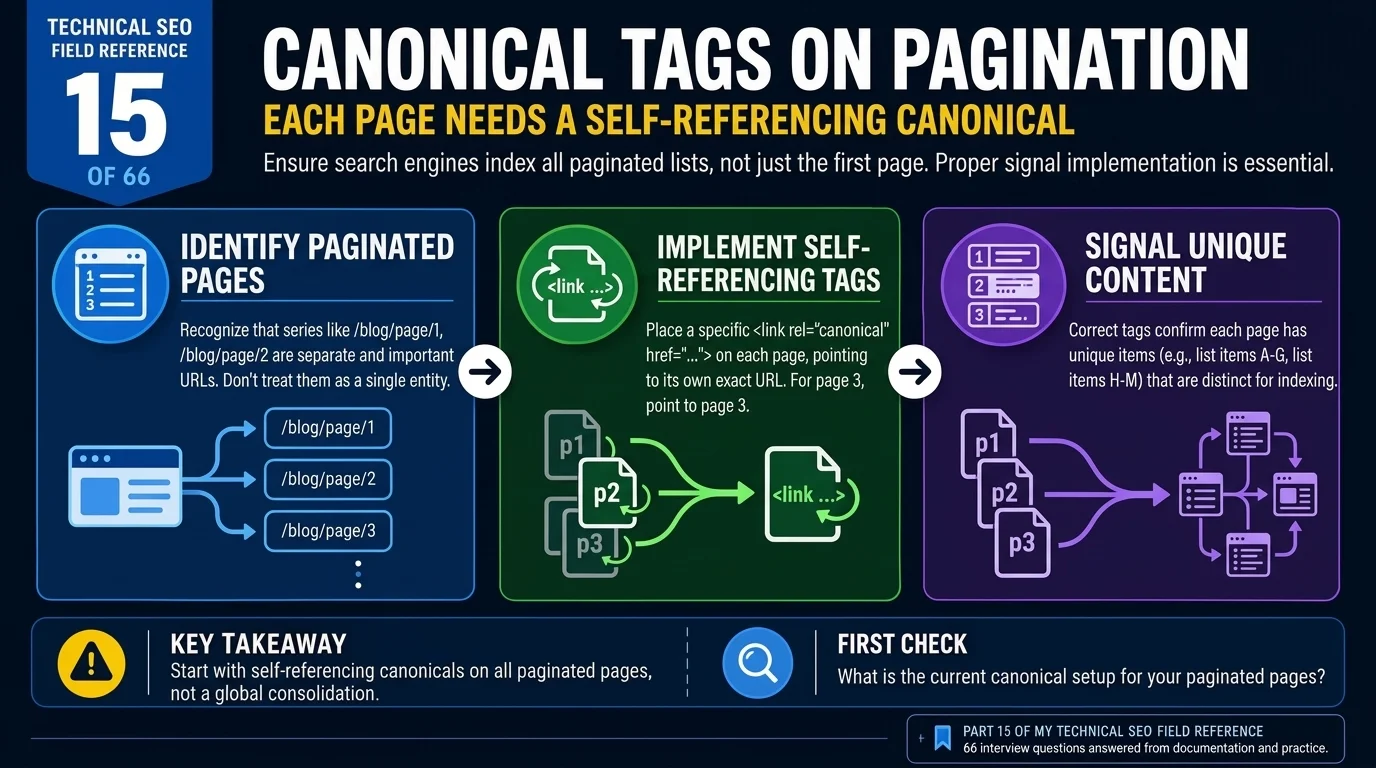
Technical SEO Field Reference, Question 15 of 66. The pagination canonical question, checked against what Google currently documents.
Give each page in a paginated series a self-referencing canonical. Page 2 usually contains different items from page 1, so pointing both URLs to page 1 sends the wrong signal about their content. Keep the series crawlable through ordinary links. Google no longer uses rel=”next” and rel=”prev” to identify pagination; it announced that change in 2019.
Page 2 looks a lot like page 1. Same layout, similar heading, perhaps the same introduction. I can see why someone would want to tidy up the series by pointing every canonical to the first page.
But look at the items. If page 1 lists products 1 to 24 and page 2 lists products 25 to 48, those pages serve different content. The shared template does not make them duplicates.
That is where the pagination canonical decision starts.
Why pagination canonical tags matter
A canonical tells Google which URL you prefer to represent duplicate or equivalent content. When you point page 2 to page 1, you are asking Google to treat the first page as the representative version, even though the product lists differ.
Google can ignore that hint. If it accepts it, the deeper archive URL may not be indexed separately. That creates a problem when the links on those pages are also the main route to older posts or products.
The distinction here is between indexing the archive and discovering the items it links to. A pagination canonical does not block crawling, and a product can still be discovered through another category, a sitemap or a direct internal link. So a page-1 canonical does not automatically make every deeper item disappear.
It does give Google a consolidation signal that does not fit the content. On a large catalogue or blog, I would check that before assuming older items need rewriting.
What Google says about pagination canonical tags
Google’s pagination guidance is direct: each page should have a unique URL and its own canonical. It specifically advises against using the first page as the canonical for the whole sequence.
It also recommends links between successive pages using <a href> elements. A crawler needs a URL it can follow. A “Load more” button that only fetches more items after a click may work well for visitors, but Google generally does not perform that interaction.
You can use JavaScript for the interface. Just make sure the underlying pages remain accessible through crawlable links.
Google no longer uses rel="next" and rel="prev" to identify paginated sequences. The announcement came in March 2019, after Google had already stopped using them. You do not need to add them for Google, although other search engines may still use them.
The wider canonicalisation guidance explains how Google chooses a representative URL. Question 12, is rel=canonical a directive or a hint, covers why your declared canonical is not a guaranteed outcome.
The interview answer for pagination canonical strategy
I would give each paginated page a canonical pointing to itself, because each page normally contains different items. I would also check that every page has a unique URL and that the next-page links use crawlable anchors. I would not point the whole sequence to page 1 or add noindex to later pages as a routine duplicate content fix. Google no longer uses rel=”next” and rel=”prev” for pagination, so those tags would not solve a discovery problem.
A View All page needs a separate assessment. It must contain the full set and load acceptably for users before I would consider it as a canonical target. The current pagination guidance recommends individual canonicals, so I would treat View All as a conditional alternative and check what Google actually selects.
An archive example where pagination canonical tags went wrong
Consider a blog with around 40 pages of category archives. A plugin rule points everything from /category/page/2/ to /category/page/40/ back to /category/.
The intention is to consolidate duplicates. The problem is that each archive page links to different posts.
If older posts then appear as Crawled – currently not indexed, the pagination canonical rule is worth investigating. That status alone does not prove the archive configuration caused the exclusion. You would need to inspect the archives, check Google’s selected canonicals and look at crawl activity.
I would change the rule so each archive page points to itself, then confirm that the pagination links can be followed. I would also check whether those older posts have any other internal links.
After that, I would monitor recrawling and indexing over the following weeks. If the posts return, that supports the diagnosis, but the timing alone does not establish that the pagination canonical change caused the recovery.
How the pagination canonical options compare
Self-referencing canonicals on each page
This is the default I would use for a normal paginated series. Each page has a different list of items, so each gets its own canonical.
Keep the URLs crawlable and indexable, and link through the sequence. A self-referencing pagination canonical still does not guarantee indexing; it gives Google a preference that matches the page’s content.
Canonicals pointing to a View All page
A View All page can be worth considering when it contains the complete collection. Check that the content is accessible and that the page performs well before asking Google to use it as the representative version.
A page containing 2,000 items and 2,000 images needs testing. Its size alone does not prove a Core Web Vitals failure, but slow loading could make it a poor landing page. Keep individual canonicals as the baseline unless you have a reason to choose otherwise.
Canonicals pointing to page 1
This only makes sense where the later URLs genuinely duplicate or are equivalent to page 1.
A short series does not qualify just because the later pages contain fewer items. If page 2 has products or posts that page 1 does not, the usual recommendation still applies: give it its own canonical.
What to check in Search Console for pagination canonical issues
Use the Pages report to look for patterns, then inspect individual URLs. I would compare page 1 with a few deeper archive pages and inspect some of the items linked from them.
Check:
- The canonical declared on each archive page.
- The canonical Google selected.
- Whether the next-page links are crawlable.
- Whether deeper products or posts have other internal links.
“Duplicate, Google chose different canonical than user” tells you Google selected another URL. Inspect which one and compare the content before deciding whether the choice is wrong. The status by itself does not establish a pagination canonical problem.
I would also avoid adding noindex to pages 2 onward by default. It excludes those archive pages from search, although Google can still crawl them and follow their links. If you choose that approach for a particular reason, check how the deeper items will continue to be discovered.
The interview trap on pagination canonical strategy
“I would canonicalise everything to page 1” sounds plausible because consolidation is often the right approach for genuine duplicates.
The interviewer is checking whether you have noticed that a paginated series contains different content on each page. Explain that before discussing tags.
The other mistake is proposing rel="next" and rel="prev" as the current Google fix. You can mention their history, but the recommendation should be based on the URLs, canonicals and links Google uses now.
Takeaway
Compare the items on page 1 and page 2. If the lists differ, give each page its own canonical and keep a crawlable path through the series.
Then inspect a few deeper items. Correct archive tags are only useful if Google can still reach the posts or products you are trying to expose.
Have questions about this topic? Contact The GEO Lab · Return to homepage