
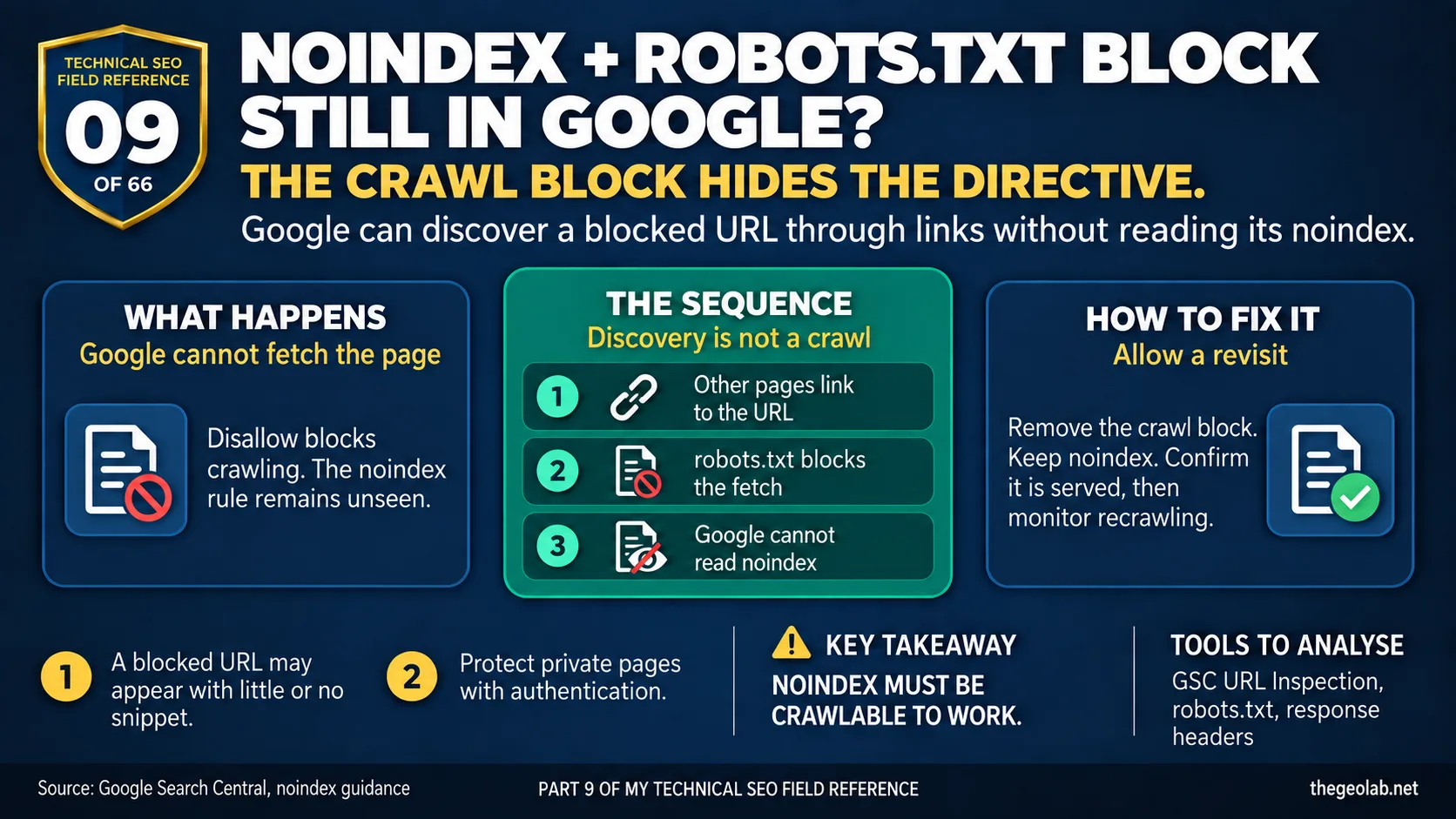
Technical SEO Field Reference, Question 09 of 66. The interview answer, checked against what Google currently documents.
Google can’t see the noindex directive because robots.txt stops it crawling the page. If other pages link to that URL, Google can still show it in search results without fetching its content. The result in Search Console is “Indexed, though blocked by robots.txt.” To get the noindex recognised, remove the crawl block, keep the directive in place and let Google revisit the page. Google’s noindex guidance says the page must be crawlable for the rule to work.
I can see why people apply both. One says “don’t index this page”; the other says “don’t crawl it”. Together they sound safer.
Then the URL appears in Google anyway, and someone adds another Disallow rule. That only makes it harder for Google to see the instruction it needs.
What Google says when noindex is blocked by robots.txt
robots.txt controls crawling. It doesn’t guarantee that a URL stays out of search results: Google can discover a blocked URL through links elsewhere. A noindex directive controls indexing, but Google has to fetch the page to read it. Source: Google Search Central, robots.txt introduction.
Google’s noindex documentation is explicit: for noindex to work, Google must be able to crawl the page. If robots.txt blocks the crawl, the noindex is invisible.
Search Console has a name for the result: “Indexed, though blocked by robots.txt.” Google’s Page indexing report recommends allowing the crawl and using noindex if you want the URL removed from the index.
The noindex blocked by robots.txt interview answer
The robots.txt block prevents Google from reading the noindex. Google may still know the URL exists because other pages link to it, and it can list that URL without having crawled the page. I’d remove the Disallow rule for that URL, check that it still serves noindex in the HTML or HTTP header, then wait for Google to recrawl it and confirm it has left the index.
Why a noindex page stays indexed when blocked by robots.txt
| Step | What happens |
|---|---|
| 1 | The page serves noindex. |
| 2 | robots.txt prevents Googlebot from fetching the page. |
| 3 | Google therefore doesn’t see the noindex. |
| 4 | Links can still tell Google that the URL exists. |
| 5 | The URL may appear in results, sometimes with little or no snippet because Google hasn’t read the page. |
A real-world noindex blocked by robots.txt example
Say a thank-you page shows as “Indexed, though blocked by robots.txt”. I’d check the live page first: does it actually return noindex, and is the rule present in the response Googlebot would receive? Then I’d allow crawling for that URL and monitor its status after Google revisits it.
The result I want is the URL leaving the index. A stronger crawl block wouldn’t get me there. This connects directly to the previous question on how to deindex internal search pages, where the same ordering principle applies: noindex needs crawl access to work.
The exception: when a noindex blocked page must stay restricted
If the page contains private information and must not be fetched by the public, I wouldn’t open it to crawlers just to make noindex work. I’d put it behind authentication and deal with any existing search appearance separately. noindex is an indexing instruction, not access protection.
This distinction matters for understanding how crawl budget interacts with indexing controls. robots.txt and noindex operate at different layers of Google’s pipeline. Confusing their scope is what produces the “indexed though blocked” status in the first place. The crawl trap question in this series covers the broader principle: blocking crawling doesn’t automatically prevent indexing, and preventing indexing doesn’t automatically stop crawling.
The noindex blocked by robots.txt interview trap
This question catches a common assumption: that two blocking instructions must work better than one. Here, one prevents Google from seeing the other. The first check is whether Google can actually fetch the page carrying your noindex.
The candidate who answers “add robots.txt and noindex” without understanding the interaction between the two has given the exact answer that causes the problem in the first place.
Takeaway
If a URL is indexed though blocked by robots.txt, the fix is to remove the crawl block so Google can see the noindex. Two instructions that sound complementary can cancel each other out when one prevents the other from being read.
Part 09 of my Technical SEO Field Reference: 66 interview questions answered from what Google currently documents, what we observe in practice, and where the two do not match.
Have questions about this topic? Contact The GEO Lab · Return to homepage