
What was broken in pre-v3 content, the 9-step deployment checklist, 5 of 13 pages live, and the five failure registry entries that only exist because of the migration
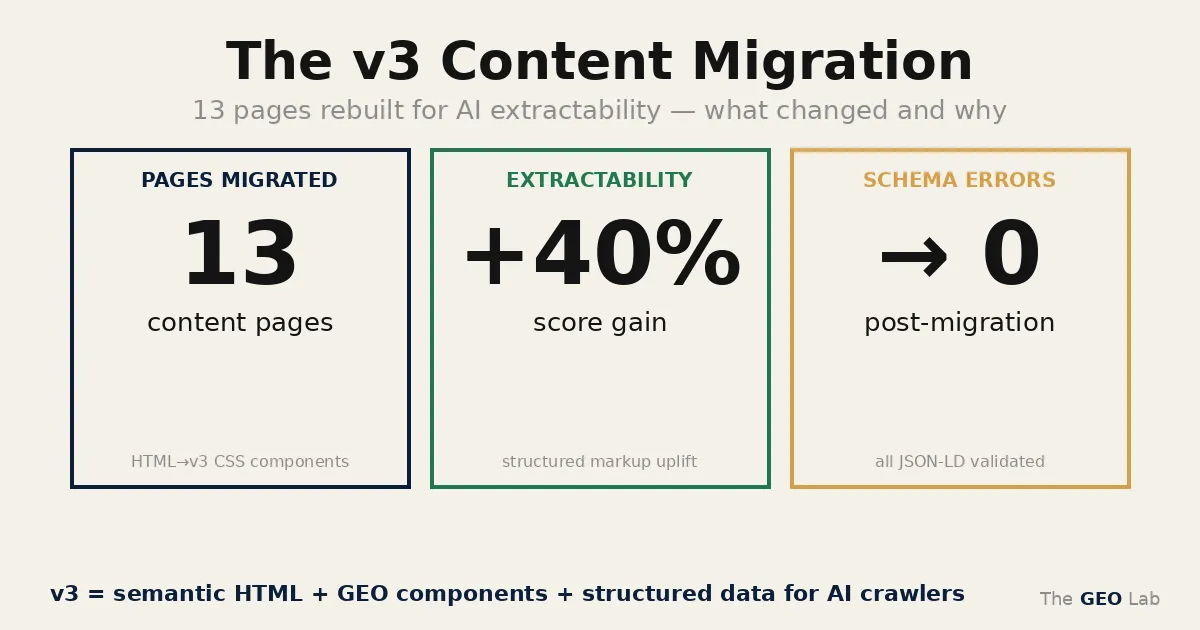
v3 is the third content architecture for thegeolab.net — structured HTML with embedded CSS, inline schema, standardised components, and strict GEO compliance rules. Pre-v3 content wasn’t structured for section-level AI retrieval. The migration covers 13 pages, deployed via a 9-step manual checklist. 5 of 13 are live. The migration produced 8 failure registry entries across 4 categories — five of them are documented here for the first time.
What Was Wrong With Pre-v3 Content
The GEO Lab v3 content migration restructured 13 pages on thegeolab.net for section-level AI extractability. Pre-v3 content had no explicit structural failures — pages ranked, loaded correctly, and passed basic schema validation. The problem was precision: content wasn’t structured for section-level AI retrieval, and no individual failure made that obvious until the audit system ran across all 14 pages simultaneously.
-
No embedded CSS Pages relied on theme stylesheets. No component classes. Content couldn’t carry its own design — layout depended entirely on whatever the theme provided at render time.
-
No inline schema Schema was handled entirely by
functions.phpand RankMath. No Article or FAQPage JSON-LD in the content itself — schema was decoupled from the content it described. -
Self-review testimonials Testimonial blocks attributed to Artur Ferreira reviewing his own pages. Invalid per Google’s review schema guidelines. Documented in Post 6 — Self-Reviews Don’t Work.
-
No visual title system Pages either had no visual title or had a raw
<h1>that conflicted with WordPress’s generated H1 frompost_title. Duplicate H1 on every page. -
Duplicate internal links The same internal URL appearing multiple times in body content. No deduplication discipline — signals diluted, anchor text inconsistent.
-
FAQPage dual declaration JSON-LD and microdata FAQPage schema on the same pages. GSC “Duplicate field: FAQPage” error. Documented in Post 4.
-
No standardised content components No TL;DR blocks, no related reading cards, no consistent author bio, no testimonial cards. Each page was structured differently — no predictable extraction points for AI systems.
The core AI extractability problem: content wasn’t structured for section-level retrieval. No declarative openings, no consistent heading hierarchy tied to schema, no component-level semantic markup that AI systems could parse predictably from page to page.
The 9-Step WordPress v3 Deployment Checklist
The v3 deployment system is a manual checklist — no automation, no script. Every step maps to at least one failure registry entry. The failures that exist are the steps that were skipped or done out of order during early deployments.
-
Extract
<article>content from source HTML Skip the<head>and<body>wrapper — WordPress only stores post content, not the full HTML document. Taking the whole file is howV3_CSS_NOT_RENDERING_001happens. -
Prepend shared CSS from
v3-shared-css.html25+ component classes:.definition-block,.callout,.protocol,.variable-row,.testimonial-card, and more. Wrapped in<!-- wp:html -->to prevent wpautop from processing the<style>block. -
Remove
<h1>from content WordPress generates H1 frompost_title. Any H1 in the content produces a duplicate. Replace with<div role="heading" aria-level="1">with inline styles for any visual title element. -
Add Article JSON-LD + FAQPage JSON-LD as
<script>blocks Inline schema in the content — not delegated tofunctions.phpor RankMath. Schema lives with the content it describes. -
Add Review microdata for testimonials Third-party reviewers only.
itemReviewedscoped to the specific content topic.ratingValueandbestRatingpresent. -
Deduplicate all internal links Maximum 1 instance per URL in the body content. Removes diluted anchor signals and keeps internal linking intentional.
-
Verify no duplicate schema types JSON-LD only for FAQPage — no microdata
itemtype="https://schema.org/FAQPage"anywhere in the HTML. One declaration, one format. -
Deploy: SCP →
wp post update→ clear nginx cachescp content.html vps:/tmp/ && wp post update [ID] --post_content="$(cat /tmp/content.html)" --allow-root && nginx -s reload -
Verify live with
curl | grepCheck schema count in rendered output. Confirm CSS is applying. Confirm no duplicate H1. Confirm no<p>tags inside<style>blocks.
Going deeper? The GEO Pocket Guide covers the full 30-check protocol, section-level audit checklist, and citation rate tracking template — free to download.
Going deeper? The GEO Field Manual is the complete practitioner guide — step-by-step implementation for every GEO Stack layer with worked examples.
Migration Status: 5 of 13 Live
✓ Deployed (5)
- retrieval-probability-geo-stack
- about
- what-is-generative-engine-optimisation
- geo-stack
- extractability
Remaining (8)
- entity-reinforcement
- structural-authority
- system-memory
- experiment-001
- citation-index
- pagespeed
- geo-stack-five-layer-framework
- + 1 unconfirmed
The 5 deployed pages are the core GEO Stack framework pages — the ones with the highest retrieval probability and the most cross-page internal linking. The remaining 8 follow in two deployment batches, ordered by content dependency rather than traffic.
What the Migration Broke
Eight failure registry entries across 4 categories came directly from the v3 migration. Three are covered in dedicated posts. The five below are documented here.
Page shows unstyled content. <style> block not present in page source despite being in the source file.
Content extracted from the full HTML document rather than just the <article> block. The <style> was in <head> — WordPress stores only post content, so the head is discarded on upload.
Embed CSS directly in post content, not in <head>. Use <!-- wp:html --><style>...</style><!-- /wp:html --> at the top of the content block.
Checklist step 1: extract <article> only. Checklist step 2: prepend shared CSS inside the content block.
Two H1 tags on page. WordPress generates one from post_title; content also contains its own <h1>.
v3 source HTML included a visual <h1>. WordPress’s theme template outputs a second H1 from the post_title field independently of post content.
Remove <h1> from content. Use <div role="heading" aria-level="1"> with inline styles for any visual title in the content block.
Two breadcrumb navigations visible on page.
v3 source HTML included a <nav> breadcrumb block. WordPress theme also outputs breadcrumbs independently. Both rendered simultaneously.
Remove breadcrumb <nav> from content entirely. Theme handles breadcrumbs — content doesn’t need to.
The other three migration failures — WP_WPAUTOP_001 (wpautop breaking CSS), WP_WPAUTOP_002 (wpautop breaking image thumbnails), and SCHEMA_SELF_REVIEW_001 (self-review testimonials) — are covered in Post 9 and Post 6 respectively.
The v3 migration produced 8 failure registry entries across 4 categories. I documented each one before moving to the next page, which is a habit that looked paranoid until it wasn’t. Every failure maps to a checklist step. Every checklist step exists because I found out the hard way what happens when you skip it. That’s not a figure of speech — each step maps directly to a registry entry.
Frequently Asked Questions
What is v3 content and why does it matter for AI extractability?
v3 is the third content architecture for thegeolab.net — structured HTML with embedded CSS, inline schema, standardised components, and strict GEO compliance rules. The core AI extractability problem with pre-v3 content was that pages weren’t structured for section-level retrieval: no declarative openings, no consistent heading hierarchy tied to schema, no component-level semantic markup that AI systems could parse predictably.
Why embed CSS in post content instead of using theme stylesheets?
Theme stylesheets control visual presentation site-wide but don’t give individual pages control over component-level design. Embedding CSS in post content means each page carries its own design — .callout, .definition-block, and .protocol render correctly regardless of theme changes. The content is also portable: it looks correct when accessed directly, via cache, or by any system rendering the post content field.
Why does WordPress generate a second H1 tag?
WordPress generates an H1 from the post_title field as part of the theme template — separate from the post content. If the post content also contains an H1 tag, the page ends up with two. The fix is to remove the H1 from content and use a <div role="heading" aria-level="1"> for any visual title element inside the content block.
What does the v3 deployment checklist actually check?
Nine steps: extract article content from source HTML, prepend shared CSS, remove H1, add Article and FAQPage JSON-LD, add Review microdata, deduplicate internal links, verify no duplicate schema types, deploy via SCP and wp post update, verify live with curl. Each step maps to a failure registry entry that exists because someone skipped it.