
Technical SEO Field Reference, Question 06 of 66. The interview answer, checked against what Google currently documents.
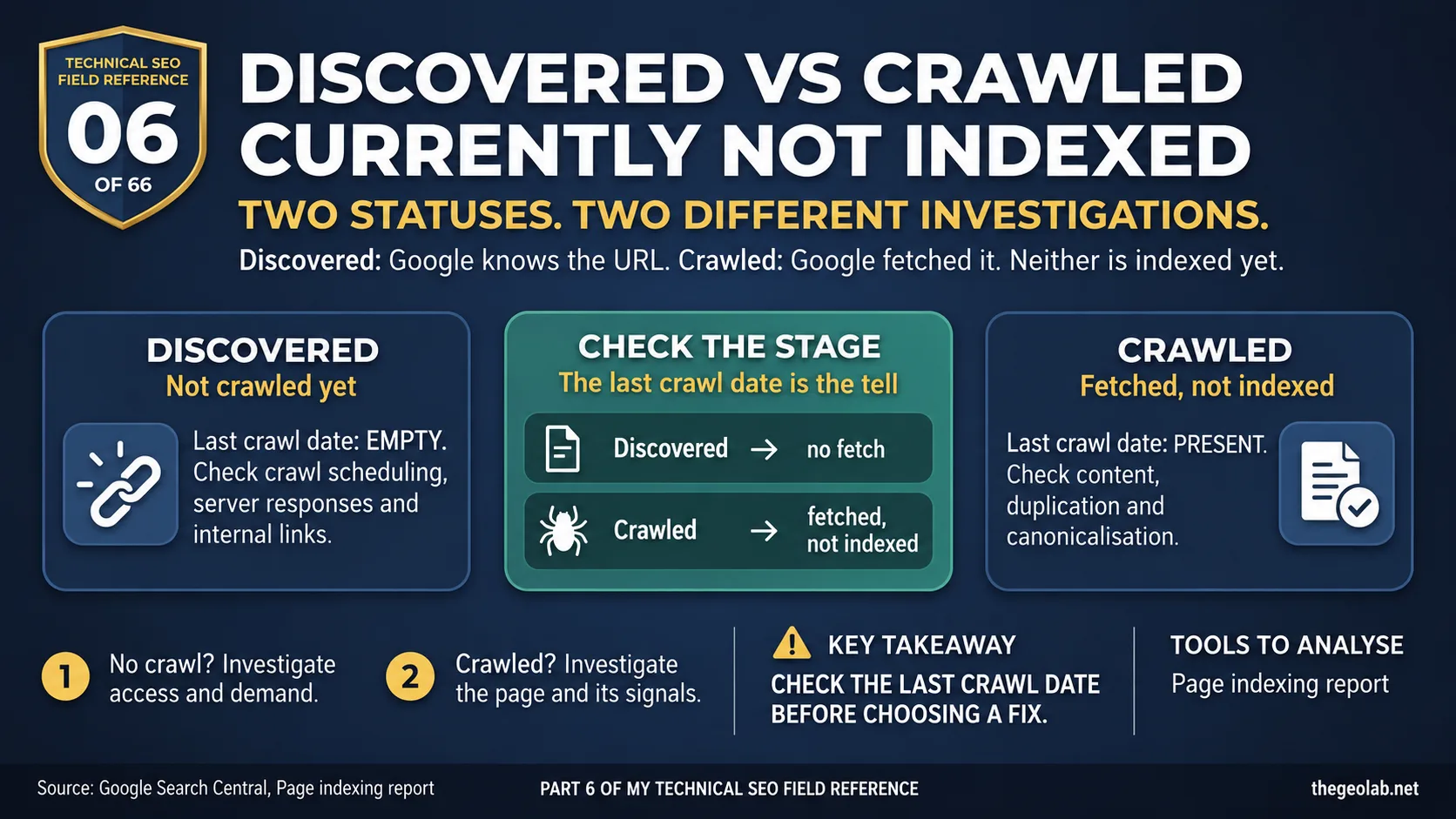
Discovered – currently not indexed means Google knows the URL exists but hasn’t crawled it yet. Crawled – currently not indexed means Google has fetched the page but hasn’t added it to the index. The quickest clue is the last crawl date: it’s empty for Discovered and present for Crawled. Those pages are stuck at different points, so they need different investigations. Google’s Page indexing report explains both statuses.
Two rows in Search Console, one word apart. It’s tempting to lump them together as “Google won’t index my pages”.
That’s where people lose time. If Google hasn’t crawled a page, rewriting the content won’t fix the reason it hasn’t been fetched. If Google has crawled it, the question becomes why it chose not to index it.
What Google says about discovered and crawled – currently not indexed
You’ll find both statuses under Search Console → Indexing → Pages → “Why pages aren’t indexed”.
For Discovered – currently not indexed, Google says it found the page but hasn’t crawled it yet. It may have rescheduled the crawl to avoid overloading the site. That’s why the last crawl date is empty.
For Crawled – currently not indexed, Google says it crawled the page but didn’t index it. The page might be indexed later, and Google says there’s no need to resubmit it for crawling.
These are Google’s definitions, not diagnoses for every URL in each group. Source: Google Search Central.
The discovered vs crawled – currently not indexed interview answer
Discovered – currently not indexed means Google knows about the URL but hasn’t crawled it; Crawled – currently not indexed means Google fetched the page but hasn’t indexed it. I’d check crawl scheduling, server behaviour and internal links for the first status. For the second, I’d investigate content, duplication and canonicalisation. The important thing is to work out which stage the URL reached before deciding what to fix.
Discovered vs crawled – currently not indexed in one table
| Question | Discovered – currently not indexed | Crawled – currently not indexed |
|---|---|---|
| Has Google fetched the page? | Not yet | Yes |
| Last crawl date | Empty | Present |
| Where I’d look first | Crawl Stats, server responses, internal links and crawl demand | Content, duplication, canonicalisation and internal signals |
| Related question | Crawl budget | Crawled – currently not indexed |
How discovered and crawled – currently not indexed play out on a site
Say you launch a content hub with 4,000 URLs. Search Console puts some in Discovered and others in Crawled. I wouldn’t send both groups to the content team with a brief to “make them better”.
I’d split them first.
For the Discovered URLs, I’d check Crawl Stats and server logs. Is the site slow under load? Is it returning 5xx or 429 responses? Are those pages linked from the site, or does Google only know about them through the sitemap? Those are useful questions before you touch the copy.
For the Crawled URLs, Google has already fetched the pages. Now I’d look at what it found. Are they thin or heavily templated? Is a near-duplicate being treated as the stronger page? Do the internal links make it clear why these URLs matter?
Same report. Two different jobs.
The last crawl date: the discovered vs crawled – currently not indexed tell
Google explicitly says the last crawl date is empty for Discovered URLs because it hasn’t crawled them yet. That’s the field I’d check before making assumptions about content quality.
There’s another nuance here. In practice, Crawled – currently not indexed isn’t always a queue of new pages waiting to get in. Some URLs were indexed before and later dropped. If you have historical data, check it. A page trying to enter the index and a page that has fallen out may need different investigations.
The discovered vs crawled – currently not indexed trap
The common mistake is giving both statuses the same fix: improve the content and keep requesting indexing.
If a URL is Discovered, Google hasn’t fetched its content yet. Focus first on why it isn’t getting crawled.
If it’s Crawled, more crawl capacity won’t answer why Google passed on indexing it. Look at the page and its place in the site instead. Google also says you don’t need to resubmit a Crawled – currently not indexed URL for crawling.
One small naming point: Search Console uses “Discovered – currently not indexed”, while people often call it “discovered but not indexed”. They mean the same status.
Takeaway
Before asking, “How do I get this page indexed?”, ask, “Has Google crawled it yet?”
Check the last crawl date, then investigate the stage where the URL is stuck. That one-minute check can save you weeks of fixing the wrong thing.
Part 06 of my Technical SEO Field Reference: 66 interview questions answered from what Google currently documents, what we observe in practice, and where the two do not match.
Have questions about this topic? Contact The GEO Lab · Return to homepage