
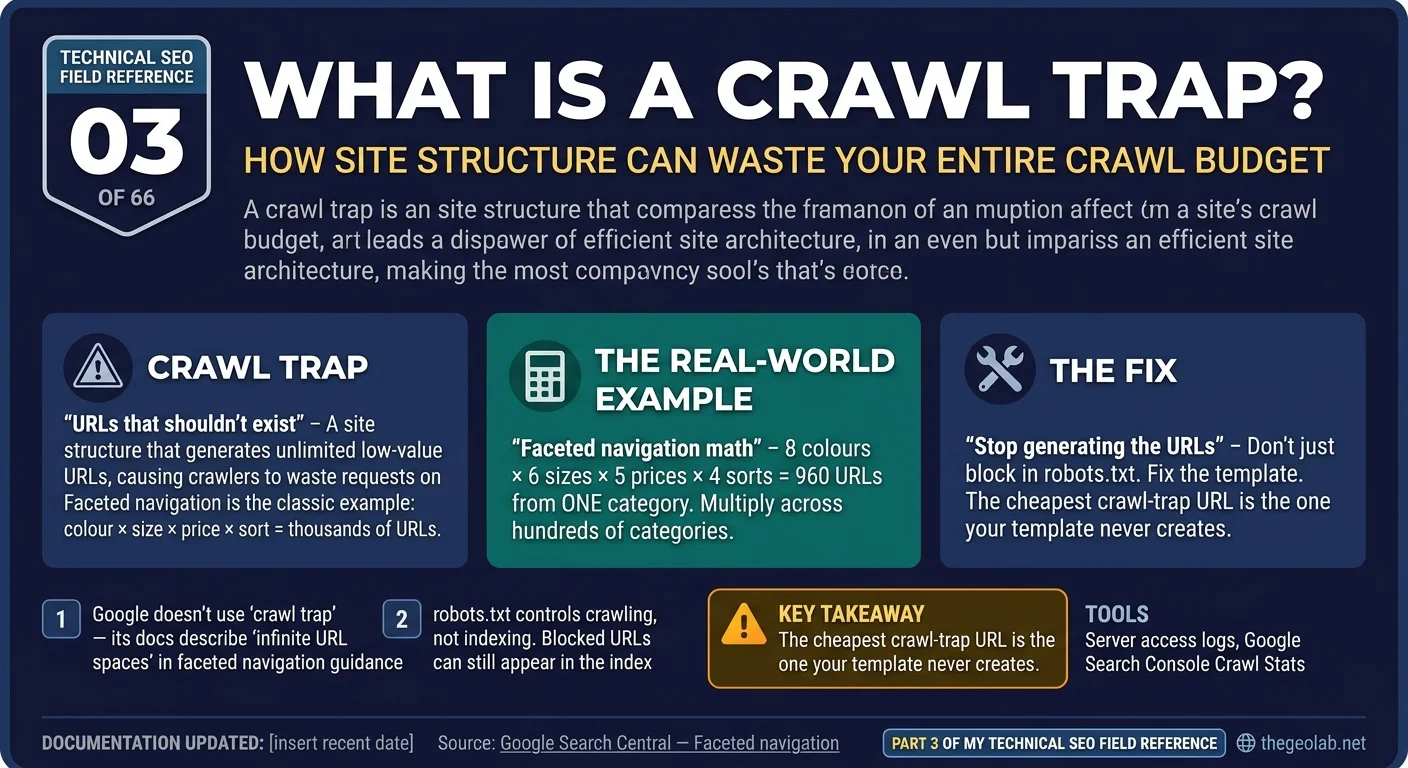
Technical SEO Field Reference, Question 03 of 66. The interview answer, checked against what Google currently documents.
A crawl trap is a part of a website that creates an effectively unlimited number of low-value URLs, causing search-engine crawlers such as Googlebot to spend requests on duplicate or near-duplicate pages instead of more useful URLs. A common SEO crawl-trap example is faceted navigation, where filters for colour, size, price and sorting can combine into thousands of crawlable URL variations. Google does not use “crawl trap” as the name of this problem in its current documentation; its faceted-navigation guidance describes the underlying issue as “infinite URL spaces,” which can cause overcrawling and slower discovery of new URLs.
This looks like a definition question.
It isn’t really.
If I asked it in an interview, I wouldn’t be particularly impressed by someone telling me that a crawl trap creates an “infinite URL space.” That’s the easy bit.
I’d want to know whether you’ve actually seen one. What was creating the URLs? How did you spot it? How did you stop it without accidentally blocking pages that were supposed to exist? And, probably most importantly, how did you know afterwards that you’d actually fixed the problem?
Someone who’s only read about crawl traps will usually give you a neat definition followed by “block them in robots.txt.” Someone who’s had to clean one up is more likely to start talking about server logs, parameter patterns and what happened to Googlebot’s crawling afterwards.
What Google actually says about crawl traps
There is an important distinction to make here: “crawl trap” is SEO terminology, not the terminology Google currently uses in its documentation. The closest match is Google’s faceted-navigation documentation, which describes filters creating “infinite URL spaces.”
The problem is fairly easy to picture. Take an e-commerce category page and let users filter it by:
- colour
- size
- price
- brand
- availability
- sort order
Every filter might be useful to a shopper. But if every possible combination generates another crawlable URL, the number of URLs Googlebot can encounter grows very quickly.
Google documents two consequences. The first is overcrawling: crawlers can spend a lot of time fetching filtered URLs before determining that those URLs aren’t particularly useful. The second is slower discovery: time spent crawling all those variations can mean genuinely new URLs are discovered more slowly.
Google’s current crawl-budget documentation describes the same underlying problem from another angle. It talks about perceived inventory, essentially the collection of URLs Google thinks it may need to crawl, and specifically identifies things such as infinite-scrolling pages and differently sorted versions of pages as potential sources of wasted crawling. Those are what most SEOs would recognise as crawl-trap behaviour, even though Google doesn’t call them crawl traps.
The crawl trap interview answer
If I had to answer this one quickly in an interview: a crawl trap is part of a website that generates an effectively unlimited number of low-value URLs, causing a crawler to spend requests fetching duplicate or near-duplicate pages instead of URLs you actually care about.
Faceted navigation is the classic crawl trap example. Filters for colour, size, price and sorting can combine into thousands of crawlable URLs while the underlying product inventory barely changes.
Google doesn’t currently use “crawl trap” as the name for this. Its faceted-navigation documentation describes the underlying problem as “infinite URL spaces.”
A real-world crawl trap example
Say I have one e-commerce category. Nothing enormous. Just:
- 8 colours
- 6 sizes
- 5 price bands
- 4 sort orders
Individually, none of those looks remotely dangerous. Let shoppers combine them freely and make every combination crawlable, though, and suddenly one category can produce:
8 × 6 × 5 × 4 = 960 URLs
And that’s before I’ve added pagination or another filter. Now multiply the same setup across a few hundred categories. That’s how a perfectly normal filtering system can quietly turn into hundreds of thousands of crawlable URLs that almost nobody would deliberately visit.
The first place I’d go isn’t Screaming Frog. I’d go to the server logs. A crawler tells me what URLs can be reached. The logs tell me what Googlebot is actually spending requests on.
I’d group Googlebot requests by URL pattern and start looking for things like ?colour=, ?size=, ?sort= and combinations of them. If Googlebot is repeatedly requesting those URLs, they’re returning 200 responses, and the pages are largely variations of the same inventory, now I have evidence of the problem.
But I’d still want to see the other side of it. Are new product URLs being discovered slowly? Are useful pages sitting in Search Console as Discovered – currently not indexed while Googlebot is hammering parameter combinations? If I can see both happening together, the diagnosis gets much stronger.
Then I’d fix the source of the problem. If a filter combination has no reason to exist as an indexable landing page, why is the template generating crawlable links to it in the first place? That’s where I’d start. For URL patterns that genuinely shouldn’t be crawled, robots.txt may also be part of the solution. Empty or impossible filter combinations should return an appropriate 404 rather than pretending to be valid pages.
And then I’d measure it. Did Googlebot requests to those parameter patterns fall? Did crawling shift toward useful URL patterns? Did genuinely new products start getting discovered and crawled faster? If those things don’t move, then I haven’t proved the crawl trap was causing the problem. I’ve just changed some URLs.
Common crawl trap patterns
| Crawl trap | How it happens | Evidence |
|---|---|---|
| Faceted navigation | Colour, size, price and sorting combinations create huge numbers of URLs | Documented by Google |
| Infinite pagination / scrolling | Pagination or offset URLs continue without a useful stopping point | Documented pattern |
| Sorting variations | The same inventory appears under ?sort=, ?order= or similar URLs | Documented pattern |
| Calendars | “Next month” keeps generating future URLs indefinitely | Practitioner-observed |
| Session / tracking parameters | New URL variations are generated for users or clicks | Practitioner-observed |
| Broken relative links | Incorrect relative paths recursively create /a/a/a/a/… | Practitioner-observed |
That last column matters. The first three have direct counterparts in Google’s current documentation. The others are patterns SEOs encounter in practice. They’re useful examples, but I wouldn’t pretend Google documented them just because they’re standard technical SEO vocabulary.
The technical detail behind crawl traps
The awkward thing about a crawl trap is that the crawler often has to spend the request before it can work out that the URL wasn’t useful.
From the outside, ?colour=black&size=10 and ?colour=blue&size=11 are different URLs. They might contain meaningfully different content. Or they might be near-duplicates. Googlebot has to investigate before it can make that judgement.
That’s why I tend to think of a crawl trap as a budget leak rather than an indexing error. That’s my mental model, not Google’s terminology. The trap can be sitting quietly in one part of the site while the symptom appears somewhere completely different: useful new pages aren’t being crawled as quickly as you’d expect. And that’s where the diagnosis gets interesting.
The crawl trap interview trap
The answer that sounds right is “just block the parameters in robots.txt.” Sometimes that’s part of the solution. But it’s not the whole solution.
robots.txt controls crawling, not indexing. If Google already knows about those URLs, blocking them doesn’t automatically make them disappear from the index. And because Googlebot can’t crawl the blocked page, it can’t see a noindex directive sitting on it either.
There’s another assumption I’d avoid: “if I stop Google crawling these URLs, it will spend all that crawl budget on my important pages instead.” Not necessarily. Google’s crawl-budget guidance makes an important distinction here: freeing capacity doesn’t automatically mean that capacity gets reassigned elsewhere if the site wasn’t capacity-constrained in the first place.
And noindex isn’t a crawl-budget fix either. Googlebot still needs to request the page to discover the noindex. You’re still paying for the crawl.
Takeaway
So my first question wouldn’t be “how do I stop Google crawling these URLs?” It would be “why is the site generating URLs I never wanted crawled in the first place?”
Blocking is damage control. The cheapest crawl-trap URL is the one your template never creates.
And in an interview, telling me how you’d find the crawl trap is useful. Telling me what you’d measure afterwards to prove you fixed it tells me a lot more.
Part 03 of my Technical SEO Field Reference: 66 interview questions answered from what Google actually documents, what we observe in practice, and where the two do not match.
Have questions about this topic? Contact The GEO Lab · Return to homepage