
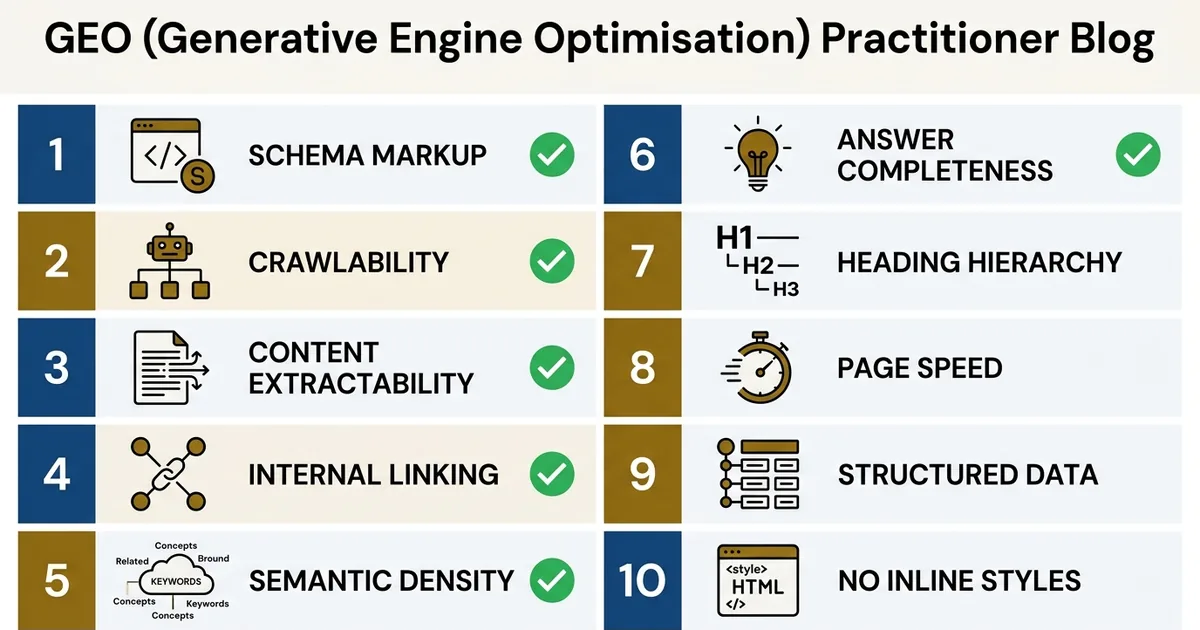
Ten programmatic tests that separate a page structurally ready for AI retrieval from one that will be crawled, skimmed, and quoted from someone else
TL;DR
A GEO audit is not a content review. It’s a set of binary structural tests, each returning pass or fail, that verify the infrastructure underneath a page is correct before citation rate is measured. Ten checks carry most of the weight: single H1, no duplicate schema, declarative opening, FAQPage consistency, no self-reviews, AI crawler accessibility, server-rendered content, canonical integrity, entity naming consistency, and link deduplication.
Every check below maps to a failure we’ve hit on thegeolab.net. None are hypothetical.
A pass/fail GEO audit separates structural certainty from interpretation: a page either produces a clean passage extraction or it doesn’t, either has valid schema or it doesn’t. These ten checks are the difference between knowing a page is ready for AI retrieval and hoping it is.
Why a Check Beats a Review
Most content review for AI visibility is interpretive. Someone reads the page, forms an impression, and suggests improvements. The trouble with interpretive review is that it can’t be repeated identically, can’t be regressed against, and can’t tell you whether the change you made last week is still in place this week.
Each check maps to a specific layer of the GEO Stack: the framework that organises GEO technical work into crawlability, extractability, and structural authority layers.
A check is different. A check is binary. Either the page has one H1 or it doesn’t. Either the FAQPage JSON-LD block appears exactly once or it appears twice. Either the canonical URL points to the self-page or it points to a wrong destination. There’s nothing to interpret: the page passes the check or it fails it, and the failure tells you exactly what to fix.
Every check in this list came from a failure I hit personally on thegeolab.net, documented in the internal failure registry. The checks exist because the failures existed first. That’s the only way to build a useful audit: you document the things that already broke, then write a test that would have caught them before they shipped.
The Ten GEO Audit Checks
Ordered roughly by severity: critical first, then structural, then hygiene. Each check includes a one-line definition, the failure mode it catches, how to run it, and the registry entry it maps to.
Checks 1–4 focus on extractability signals: the structural properties that determine whether AI systems can quote a passage cleanly, independent of whether the page has been crawled.
01
Single H1 per page
Test
The rendered HTML contains exactly one <h1> element.
Failure mode
WordPress generates an H1 automatically from post_title. If post content also contains an <h1>, the page ends up with two. AI systems parsing the heading hierarchy see an ambiguous document structure.
How to run
One-line shell command:
curl -s https://yoursite.com/your-page/ | grep -oE '<h1[^>]*>' | wc -lFix
Remove any <h1> from post content. For a visual title, use <div role="heading" aria-level="1"> with inline styles instead.
02
No duplicate FAQPage schema
Test
The rendered HTML contains at most one FAQPage JSON-LD block.
Failure mode
A SEO plugin and a custom script both output FAQPage schema independently. Google Search Console reports “Duplicate field: FAQPage.” Retrieval systems face ambiguous structured data.
How to run
curl -s https://yoursite.com/your-page/ | grep -c '"@type": *"FAQPage"'Output should be 0 or 1. Anything greater means a duplicate.
Fix
Pick one source of truth for FAQPage schema: either the plugin, or a custom mu-plugin, or inline in post content. Disable the other. On thegeolab.net, the single source is geolab-geo-defaults.php.
03
Declarative opening sentence
Test
The first content sentence after any preamble states a definitional fact rather than setting up context, asking a question, or telling an anecdote.
Failure mode
AI systems extracting a clean answer from the page look near the top of the content. A narrative hook or rhetorical question gives them nothing clean to quote. A competitor’s declarative sentence gets extracted instead.
How to run
Manual inspection. The pattern to match is “X is Y” or “X does Y” within the first 200 characters of the main content block. An automated check using an LLM to classify the opening works but introduces its own noise floor.
Fix
Rewrite the opening. If the piece needs a narrative hook, place it after a one-sentence definitional paragraph rather than before.
04
No self-review schema
Test
Any Review schema present on the page has a reviewer entity distinct from the page’s primary author or site owner.
Failure mode
Testimonial-style Review blocks where the reviewer name matches the site’s primary author violate Google’s structured data guidelines. AI systems detecting the identity match apply a credibility penalty. On thegeolab.net audit scoring, self-review carries a 2-point deduction per page.
How to run
curl -s https://yoursite.com/your-page/
  | grep -A5 '"@type": *"Review"'
  | grep -oE '"name": *"[^"]*"'
Compare reviewer names against the site’s primary author. A match is a fail.
Fix
Remove self-review blocks entirely. Only publish testimonial schema for genuine third-party reviewers with verifiable identity.
05
AI crawler accessibility
Test
The page returns 200 OK when fetched with known AI crawler user-agents: at minimum GPTBot, PerplexityBot, and ClaudeBot.
Failure mode
robots.txt blocks the crawler, Cloudflare bot fight mode rejects the request, or a firewall rule returns 403. The page never enters the AI system’s retrieval index. No retrieval means no extraction, no citation, nothing.
How to run
for ua in "GPTBot/1.0" "PerplexityBot/1.0" "ClaudeBot/1.0"; do
  echo "$ua: $(curl -s -o /dev/null -w '%{http_code}'
    -A "$ua" https://yoursite.com/your-page/)"
done
All three should return 200. Anything else is a block.
Fix
Update robots.txt to explicitly allow the relevant bots. Whitelist their verified IP ranges at the firewall layer. Disable aggressive bot-fight rules on content pages.
06
Server-rendered content
Test
GEO-critical content, headings, answer text, schema, citations, is present in the raw HTML response, not injected by client-side JavaScript.
Failure mode
AI crawlers typically do not execute JavaScript. Content that renders only after JS execution is invisible to them. The page looks complete in a browser and empty in the retrieval index.
How to run
curl -s https://yoursite.com/your-page/
  | grep -oE '<h2[^>]*>[^<]+</h2>'
  | head -10
If expected H2 headings are missing from the raw HTML, the content is being hydrated client-side.
Fix
Use server-side rendering for any GEO-critical content. For React/Vue/Next.js sites: verify SSR is enabled for the route. For WordPress: content is server-rendered by default unless a plugin overrides it.
07
Canonical URL integrity
Test
The <link rel="canonical"> element points to the page’s own URL, matches the mainEntityOfPage @id in Article schema, and resolves to a 200 OK.
Failure mode
A stale canonical tag points to a redirected or deleted URL. Retrieval systems follow the canonical and index a different page, or nothing. The page being viewed is never the page being retrieved.
How to run
curl -s https://yoursite.com/your-page/
  | grep -oE '<link[^>]*rel="canonical"[^>]*>'
Verify the href attribute matches the page URL exactly. Then curl the canonical URL itself and confirm a 200 response.
Fix
Set the canonical to the self-URL. For posts moved to a new URL, the canonical should follow the redirect target, not the legacy URL. Audit this check after every URL change.
08
Entity naming consistency
Test
The primary entity, author, brand, organisation, is named identically across all schema blocks, breadcrumbs, author pages, and cross-page references.
Failure mode
“Artur Ferreira” in one place, “Artur F.” in another, “A. Ferreira” in a third. AI systems performing entity reinforcement treat these as three weak signals instead of one strong one, slowing the rate at which the entity identity stabilises in the system’s representation.
How to run
Site-wide regex grep across rendered HTML for author/brand name patterns. Any variant found is a fail.
for url in $(cat urls.txt); do
  curl -s "$url" | grep -oE '"name": *"[^"]*Ferreira[^"]*"'
    | sort -u
done | sort -u
Fix
Canonicalise the entity name in one location, typically a mu-plugin or author profile, and override any plugin or theme default that generates variants.
09
Internal link deduplication
Test
Each internal URL appears at most once in the page body content.
Failure mode
The same internal URL linked from multiple anchors in the same page dilutes anchor text signals and makes internal linking appear unintentional. Three links to the same URL with three different anchor texts is weaker than one link with one intentional anchor.
How to run
curl -s https://yoursite.com/your-page/
  | grep -oE 'href="https://yoursite.com[^"]*"'
  | sort | uniq -c | sort -rn
  | awk '$1 > 1'
Any output is a list of duplicated URLs.
Fix
Keep the strongest anchor text, remove the others. Byline and author bio links to the About page are excluded from this rule: they’re template-level, not content-level.
10
Schema validates against Rich Results Test
Test
Every JSON-LD block on the page parses as valid JSON, conforms to its declared schema type, and passes Google’s Rich Results Test without errors.
Failure mode
A trailing comma, a missing @context, or a field type mismatch breaks schema parsing. Retrieval systems that rely on structured data to disambiguate content type see nothing. The page has schema in the source but no schema in the eyes of the crawler.
How to run
Two-stage. First, parse each JSON-LD block with a JSON validator. Second, submit the page to search.google.com/test/rich-results. Both must pass.
curl -s https://yoursite.com/your-page/
  | python3 -c "
import sys, re, json
html = sys.stdin.read()
blocks = re.findall(
  r'<script type="application/ld+json">(.*?)</script>',
  html, re.DOTALL)
for i, b in enumerate(blocks):
    try:
        json.loads(b)
        print(f'Block {i+1}: OK')
    except Exception as e:
        print(f'Block {i+1}: FAIL — {e}')
"
Fix
Whatever the parser reports. Most commonly: trailing comma, unescaped quote inside a string value, or a field value of the wrong type (e.g. number where string is expected).
The Checks at a Glance
A single reference table. Severity tiers reflect how much damage the failure does if left in place: critical failures break retrieval entirely, warnings weaken it measurably, info-level issues degrade consistency over time.
| # | Check | Severity | What fails if you skip it |
|---|---|---|---|
| 01 | Single H1 per page | Warn | Ambiguous document structure for heading-based extraction |
| 02 | No duplicate FAQPage schema | Critical | GSC errors, weakened extraction signal, ranking penalty risk |
| 03 | Declarative opening | Warn | Nothing clean to quote — competitor gets extracted instead |
| 04 | No self-review schema | Critical | Structured-data guideline violation, credibility penalty |
| 05 | AI crawler accessibility | Critical | Page never enters the retrieval index |
| 06 | Server-rendered content | Critical | Content invisible to non-JS crawlers |
| 07 | Canonical URL integrity | Critical | Wrong page indexed, or no page at all |
| 08 | Entity naming consistency | Info | Slower entity reinforcement across AI systems |
| 09 | Internal link deduplication | Info | Diluted anchor signals |
| 10 | Schema validates (Rich Results Test) | Critical | Schema invisible to crawlers despite being in the source |
Where These Ten Sit in a Full Audit
These ten are the checks that matter most. A full site audit goes further: thegeolab.net’s audit.py runs 71 individual checks across six modules, covering theme infrastructure, cross-page schema consistency, REST API registration, and more. The ten above are the subset every page should pass before any of the deeper checks become meaningful.
AI crawlers approach pages differently from Googlebot: the ten AI crawler differences explain why some of these checks matter more for AI visibility than for traditional crawlability audits.
Module 1
Theme & Infrastructure
~10 checks
Module 2
Schema Integrity
~15 checks
Module 3
Extractability
~12 checks
Module 4
Cross-Page Consistency
~10 checks
Module 5
Crawler & Rendering
~12 checks
Module 6
REST API & Entity
~12 checks
audit.py on thegeolab.net: 71 checks total. The ten checks above are the most impactful subset, spanning Modules 2, 3, 5, and 6.The reason to run the ten above first: a page failing any of Modules 2, 5, or 6 at the high-level check stage will fail dozens of downstream checks as a cascade. Fixing the root failure clears the cascade. There’s no point debugging entity reinforcement across 30 pages if the primary canonical is pointing to a redirect: fix the canonical first, then let the downstream checks run.
Here’s how the ten map into the six modules: useful when scaling the short list into a full audit pipeline.
| Module | Checks from the Ten | Downstream checks triggered |
|---|---|---|
| Module 2 — Schema Integrity | 02, 04, 10 | Cross-page schema type consistency, @id resolution, nested entity references |
| Module 3 — Extractability | 01, 03 | Paragraph length limits, heading-to-answer ratio, section isolation |
| Module 5 — Crawler & Rendering | 05, 06, 07 | Redirect chains, hreflang integrity, response header consistency |
| Module 6 — REST API & Entity | 08, 09 | Author page registration, sameAs link coverage, breadcrumb alignment |
Audit rhythm. On thegeolab.net, the full audit.py run takes under two minutes. It runs after every content deployment, after every schema change, and on a scheduled weekly cron. The ten checks above can be combined into a single shell script that takes under ten seconds per page: short enough to run pre-deployment, long enough to cover the failures that matter.
From Ten Checks to a Pre-Deployment Script
The ten checks combine into a pre-deployment audit script in roughly fifty lines of bash. Each check produces a one-line pass/fail result. The script exits non-zero on any failure, which lets it block a deployment pipeline if the page isn’t ready.
The script integrates with server log monitoring: tracking AI crawlers in your Nginx logs gives direct confirmation that fixing a failed check changed crawl frequency.
The structure is deliberately simple, no dependencies beyond curl, grep, awk, and python3 for the JSON parsing step. Any engineer can read it in five minutes. Any engineer can add their own checks to it without reworking the framework.
The point isn’t the script itself. The point is that once a check exists, it runs every time. The failures it would have caught never ship again. That’s the compounding property of an audit: each check is a promise that one specific class of mistake is permanently off the table.
Frequently Asked Questions
What is a GEO audit check?
A GEO audit check is a programmatic test that verifies a single structural property of a page relevant to AI retrieval: for example, the presence of exactly one H1, the absence of duplicate schema declarations, or consistent entity naming across the site. Each check is binary (pass or fail) and returns a specific error when failed, making the result actionable rather than interpretive.
How is a GEO audit different from a standard SEO audit?
Standard SEO audits focus on page-level signals: rankings, backlinks, meta tags, mobile usability. A GEO audit focuses on section-level extractability signals: schema-content alignment, declarative opening sentences, cross-page entity consistency, and whether AI crawlers can reach and parse the content. The two overlap at the infrastructure layer but diverge at the extraction layer.
Why check for duplicate FAQPage schema declarations?
Two FAQPage JSON-LD blocks on the same page produce a Google Search Console “Duplicate field: FAQPage” error. The duplicate most often happens when both a SEO plugin and a custom script output FAQPage schema independently. Retrieval systems interpreting the page face ambiguous structured data, which weakens the extraction signal.
What is a declarative opening and why does it matter?
A declarative opening is a first sentence that states a definitional fact, typically using the pattern “X is Y”, rather than setting up context, telling an anecdote, or asking a question. AI systems performing section-level extraction look for clean, self-contained answer sentences near the top of the content. A page that opens with a declarative sentence is easier to extract than one that opens with a narrative hook.
Do AI crawlers execute JavaScript?
Most AI crawlers do not execute JavaScript at crawl time. GPTBot, PerplexityBot, and ClaudeBot retrieve the raw HTML source and parse it without running client-side scripts. Any GEO-critical content, headings, schema, answer text, citations, must be present in the server-rendered HTML to be visible to them. Content that appears only after JavaScript execution is invisible to these crawlers.
How often should a GEO audit be run?
After every content deployment and every schema change, at a minimum. A weekly or fortnightly full-site audit is advisable to catch regressions introduced by plugin updates, theme updates, or cross-page interactions that a single-page check would miss. The full run on thegeolab.net takes under two minutes, which makes pre-deployment auditing practical rather than aspirational.