
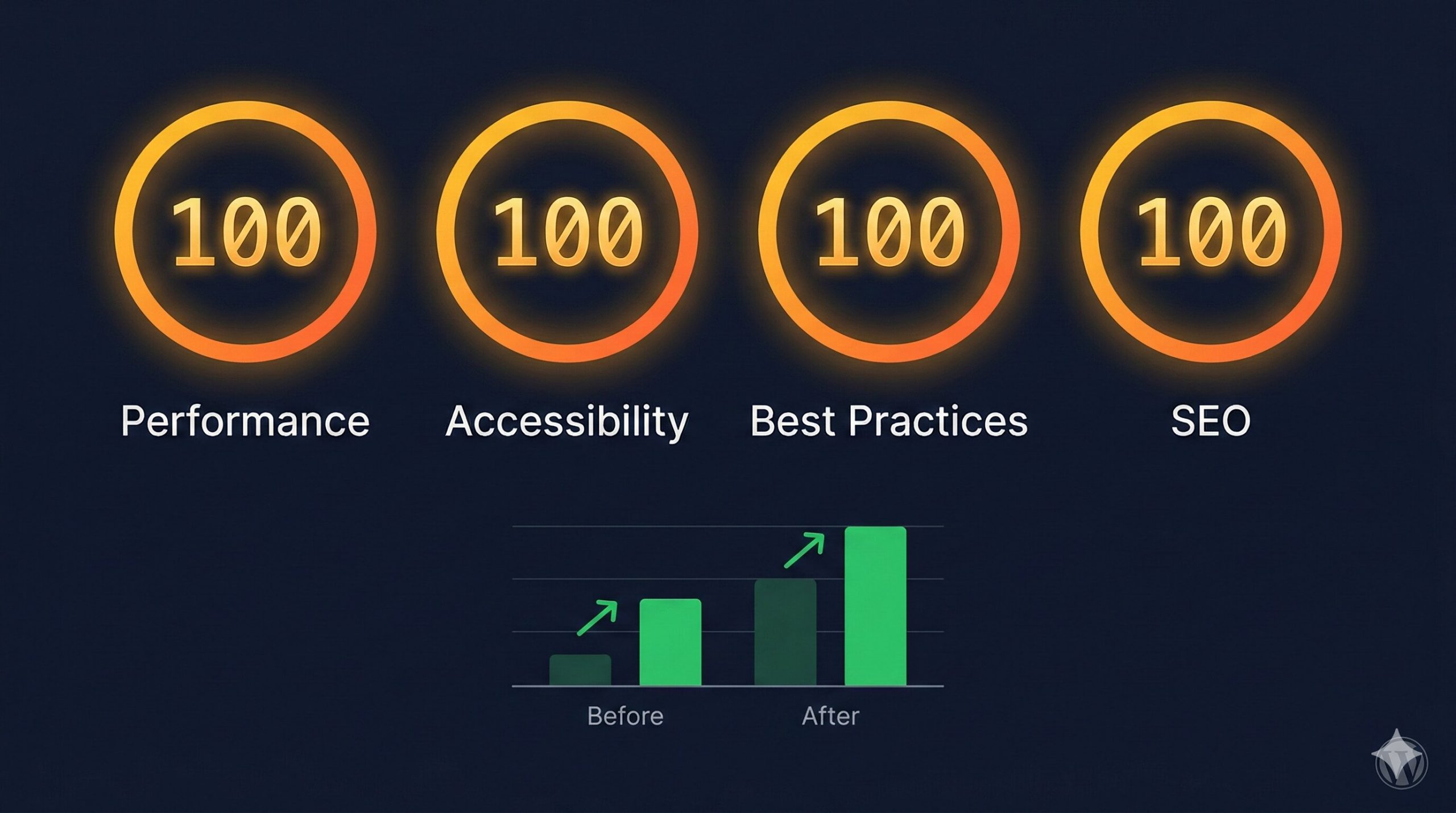
No plugins. No CDN. No page builder. Every intervention documented — and what it means for AI retrieval.
The GEO Lab achieved a perfect 100/100/100/100 on Google PageSpeed Insights mobile (Moto G Power, slow 4G) for thegeolab.net — in two rounds of manual theme-level edits, without caching plugins, CDN, or page builder.
Starting scores: 96/95/96/96. Bottlenecks: 730ms render-blocking CSS, 67 KiB oversized hero image, 39 KiB unused CSS, WCAG contrast failures. All fixed manually.
The GEO implication: technical health is a Layer 1 prerequisite. A page that fails to render cleanly cannot be reliably retrieved, extracted, or cited — regardless of how well-structured its content is.
Why PageSpeed Matters for AI Retrieval — Not Just Rankings
When I first ran Google PageSpeed Insights on thegeolab.net, the scores came back at 96/95/96/96. Most practitioners would look at those numbers and stop. A 96 is not a problem. Nobody writing about Generative Engine Optimisation is expected to care about shaving a few milliseconds off a well-performing WordPress site.
But the 96 wasn’t the interesting number. The interesting number was 730: the milliseconds of render-blocking CSS that were delaying every page load. And the 0.078: the Cumulative Layout Shift score that meant content was physically moving on screen after the initial render — which means AI parsers seeing the page during retrieval were seeing content in different positions than users were.
That matters for GEO in a way it doesn’t quite matter for traditional SEO. A traditional search engine crawls your page and builds an index. An AI retrieval system retrieves and parses your page in something closer to real time when assembling an answer. A page with 730ms of render-blocking CSS may not fully render before the retrieval system’s parser moves on. A page with significant layout shift may cause the parser to misidentify section boundaries — extracting content from positions it didn’t actually occupy at load time.
PageSpeed sits within Layer 1 of the GEO Stack. Retrieval Probability is the foundational layer — the gate that content must pass before it can be extracted, cited, or synthesised. Technical failures at this layer block everything above it, regardless of how well-structured the content is at layers 2 through 5.
This case study documents every intervention made to reach quad-100, the measurement at each stage, and what each change means for retrieval readiness. It is also, incidentally, proof that WordPress performance is a theme architecture problem — not a plugin problem.
Scope and Technical Stack
All measurements use Google PageSpeed Insights mobile test: Moto G Power emulation, slow 4G throttling. This is the most demanding standard test configuration — and the one that matters most, since AI retrieval systems use mobile-first indexing data.
Theme: Custom block theme (geolab-theme) · No page builder · No caching plugins
Tooling: CSS minification via CLI · WebP conversion with responsive srcset · Critical CSS extraction · WP-CLI deployment · Google PageSpeed Insights mobile test
No third-party performance services. No CDN. No plugin-generated optimisation. Every change was a direct edit to theme files, HTML, or image assets — which is why every intervention is fully reproducible and fully attributable to a specific cause.
Going deeper? GEO for WordPress covers the full technical setup — from schema markup to server configuration — for making WordPress sites AI-retrievable.
Baseline: What 96/95/96/96 Actually Looked Like
Before any intervention, Google PageSpeed Insights mobile returned the following:
| Metric | Baseline |
|---|---|
| Performance | 96 |
| Accessibility | 95 |
| Best Practices | 96 |
| SEO | 96 |
| First Contentful Paint (FCP) | 1.7s |
| Largest Contentful Paint (LCP) | 2.1s |
| Total Blocking Time (TBT) | 0ms |
| Cumulative Layout Shift (CLS) | 0.078 |
| Speed Index | 3.4s |
| Render-blocking CSS | 730ms |
Five specific issues were flagged: 730ms of render-blocking CSS from three unoptimised stylesheets, 67 KiB of oversized hero image data, 39 KiB of unused CSS rules, 27 KiB of unminified CSS, and WCAG AA contrast failures on subtitle text elements.
The CLS figure of 0.078 — while below the “poor” threshold of 0.25 — was the most consequential for GEO purposes. Content that shifts position after initial render produces unreliable extraction results. Zero is the target, not “acceptable”.
Round 1: Eliminating the Major Bottlenecks
Round 1 targeted the four largest performance bottlenecks. The goal was not perfection — it was to eliminate the dominant causes of delay before measuring again. I ran each intervention separately and measured before moving to the next, so the contribution of each change is isolated.
CSS Minification and Unused CSS Purging
What: Both style.css (34.9 KiB) and theme.css (16.0 KiB) were minified using command-line tools, reducing total CSS payload by 27 KiB. A conservative audit then removed approximately 39 KiB of CSS rules not used on any of the eight page templates: homepage, single post, archive, about, library, methodology, console, and contact.
Why it matters for GEO: Smaller CSS payloads reduce parse time. Faster Time to First Byte means AI retrieval systems can begin reading content within their timeout windows rather than receiving partially rendered pages.
↓ CSS payload reduced by 66 KiB totalCritical CSS Inlining and Deferred Stylesheets
What: Above-the-fold CSS was extracted and inlined in a <style> tag in the <head>. The full stylesheets were then deferred using the media="print" onload="this.media='all'" pattern, eliminating render blocking entirely.
<link rel="stylesheet" href="theme.css"
  media="print"
  onload="this.media='all'">
<noscript><link rel="stylesheet" href="theme.css"></noscript>
Why it matters for GEO: Render-blocking CSS forces the browser to pause HTML parsing while stylesheets download. Eliminating 730ms of blocking means the page begins rendering content immediately — which is what the retrieval system’s parser sees.
↓ Render-blocking CSS: 730ms → 130ms (−82%)Hero Image Conversion to WebP with Responsive srcset
What: The homepage hero image (hero-network.png, 1792×592 pixels) was converted from PNG to WebP. Four responsive variants were generated at 600, 900, 1200, and 1792 pixel widths. A <picture> element with srcset replaced the original fixed-width <img> tag. Explicit width and height attributes were added to all image elements.
<picture>
  <source type="image/webp"
    srcset="hero-600.webp 600w,
            hero-900.webp 900w,
            hero-1200.webp 1200w,
            hero-1792.webp 1792w"
    sizes="(max-width: 768px) 100vw, 665px">
  <img src="hero-1200.webp"
    width="1792" height="592"
    alt="...">
</picture>
Why it matters for GEO: Explicit width and height attributes allow the browser to reserve the correct layout space before the image loads, preventing content from shifting position after render. Zero CLS means content positions are stable and extractable.
Round 1 Results
| Metric | Baseline | After Round 1 | Change |
|---|---|---|---|
| Performance | 96 | 99 | +3 |
| First Contentful Paint | 1.7s | 1.1s | −35% |
| Largest Contentful Paint | 2.1s | 1.7s | −19% |
| Cumulative Layout Shift | 0.078 | 0.012 | −85% |
| Speed Index | 3.4s | 2.9s | −15% |
| Render-blocking CSS | 730ms | 130ms | −82% |
Performance moved from 96 to 99. The remaining single point separated from 100 came from three precision issues — each requiring a targeted fix rather than a broad intervention.
Round 2: Three Precision Fixes to Close the Last Point
A score of 99 failing to reach 100 is not a rounding problem. It is three specific, diagnosable issues that each cost a fraction of a point. Round 2 fixed all three.
Hero Image srcset Correction
The browser was selecting the 900-pixel-wide WebP variant for a 665-pixel display slot because the sizes attribute was misconfigured. The browser’s image selection algorithm uses the sizes value to decide which srcset variant to download — if sizes is wrong, the wrong variant is selected regardless of whether the right one exists.
Correcting sizes to (max-width: 768px) 100vw, 665px caused the browser to select the 600-pixel-wide WebP on mobile, saving approximately 14 KiB per page load.
Logo Resolution for Retina Displays
The site logo (geo-lab-logo-300×60.jpg) was displayed at 316×63 CSS pixels. Retina and high-DPI screens require 1.5× resolution — meaning the correct source image needed to be at least 474×95 pixels. The 300×60 original was being upscaled, triggering a PageSpeed flag for insufficient resolution.
A 600×120 intermediate thumbnail was generated, converted to WebP, and added to the logo srcset. The sizes attribute was corrected from 160px to the actual rendered width of 316px.
WCAG AA Contrast Ratio Correction
The homepage subtitle colour (#A8C8E8, then adjusted to #D0E4F8) failed the WCAG AA contrast requirement of 4.5:1 against the dark navy background. This was a single CSS variable change with no layout impact, no additional HTTP requests, and no JavaScript.
The colour was stepped through values until the contrast ratio exceeded 4.5:1. The fix cleared both the Accessibility flag and the SEO flag (WCAG contrast is evaluated by PageSpeed Insights for both categories).
↑ Accessibility: 95 → 100 · ↑ SEO: 96 → 100 · Zero implementation costRound 2 Results
All four categories reached 100. CLS reached zero. Render-blocking time was fully eliminated.
| Metric | Baseline | Final | Change |
|---|---|---|---|
| Performance | 96 | 100 | +4 |
| Accessibility | 95 | 100 | +5 |
| Best Practices | 96 | 100 | +4 |
| SEO | 96 | 100 | +4 |
| First Contentful Paint | 1.7s | 1.1s | −35% |
| Largest Contentful Paint | 2.1s | 1.5s | −29% |
| Total Blocking Time | 0ms | 0ms | Maintained |
| Cumulative Layout Shift | 0.078 | 0 | −100% |
| Speed Index | 3.4s | 2.2s | −35% |
| Render-blocking CSS | 730ms | 0ms | −100% |
How This Connects to Generative Engine Optimisation
PageSpeed optimisation is not separate from GEO. It is the technical foundation that Layer 1 of the GEO Stack depends on. In my testing, three specific connections stand out:
- Crawl efficiency affects retrieval: A page that loads in 1.1 seconds with clean rendering is more likely to be fully crawled and indexed than a page with a 2+ second load time and layout instability. Google’s crawl budget documentation confirms that server response time directly affects how much content Googlebot — and by extension, AI retrieval systems that rely on the same index — can process per visit.
- Zero CLS means clean extraction: When content elements do not shift position after initial render, AI parsers can reliably identify section boundaries, heading hierarchies, and content blocks. Pages with high CLS produce inconsistent making content machine-extractable results because content positions change during rendering — potentially causing parsers to misidentify sections, skip content, or attribute text to the wrong structural context. CLS of zero is a prerequisite for reliable Layer 2 extraction, not a vanity metric.
- Technical quality is a trust signal: Generative search systems evaluate source credibility when deciding which content to cite. A quad-100 PageSpeed score signals technical competence and investment in quality — the same signals that E-E-A-T frameworks measure for traditional search. A site that cannot maintain its own performance is less likely to be treated as authoritative on technical subjects, regardless of how well its content is structured.
The sequence matters. A deficiency in Layer 1 (Retrieval Probability) limits the effectiveness of every layer above it — Extractability, Entity Reinforcement, Structural Authority, and System Memory. Technical foundations compound upward. Fixing them first is prerequisite, not optional. This case study is the proof of that principle applied to The GEO Lab’s own infrastructure.
Key Takeaways
- CSS render-blocking is the dominant mobile bottleneck on WordPress. Eliminating 730ms of render-blocking CSS through minification, purging, and critical CSS inlining delivered the single largest performance gain — moving Performance from 96 to 99 in Round 1 alone.
- Image format conversion without correct
sizesattributes is incomplete. Converting to WebP reduces file size, but browsers select variants using thesizesattribute — if that’s wrong, the correct variant is never chosen. Both the format and the selection logic must be right. - Accessibility fixes are zero-cost performance multipliers. Correcting WCAG AA contrast ratios requires no additional HTTP requests, no JavaScript, no layout changes. It is a single CSS value change that directly lifts the Accessibility score — and, in this case, the SEO score simultaneously.
- WordPress can reach quad-100 mobile without plugins. No caching plugins, no performance plugins, no page builder. Every optimisation was a direct theme-level edit. This demonstrates that WordPress performance is a theme architecture problem — not a plugin problem.
- Speed is the floor. Structure is the ceiling. Once technical health passes the retrieval threshold, content structure and extractability deliver more GEO visibility gain than further speed optimisation. Fix critical speed issues first, then focus on Extractability. After a baseline of ~90+, additional speed points return diminishing GEO improvement compared to structural work.
Tools Used for Measurement and Optimisation
media="print" defer pattern was working correctly after CSS inlining.
Frequently Asked Questions
Does page speed directly affect AI citation rates?
Page speed functions as a technical health gate rather than a direct citation signal. AI systems select content based on semantic relevance, extractability, and entity authority — not raw milliseconds. However, pages that are slow to render or that shift content after initial load may not be fully indexed or may produce inconsistent extraction results during the retrieval phase, which indirectly reduces citation probability. The connection is: slow or unstable page → unreliable crawl and index → lower retrieval probability → fewer citations. Speed doesn’t earn citations, but technical failures can block them.
What PageSpeed score should I target for AI visibility?
A score of 90+ on Google PageSpeed Insights mobile is a reasonable baseline threshold. Scores below 50 represent technical issues likely to affect crawl frequency and indexation reliability — those deserve immediate attention. Scores between 70 and 90 are unlikely to be the primary cause of AI visibility failures; the bottleneck at that range is almost always content structure rather than speed. Beyond a score of 90, additional performance optimisation returns diminishing GEO gains relative to time spent on Extractability and Retrieval Probability improvements. Fix speed issues first, then move up the GEO Stack.
Do Core Web Vitals matter for generative search?
Of the three Core Web Vitals, CLS (Cumulative Layout Shift) has the most direct GEO relevance. Content that shifts position after initial render can cause AI parsers to extract text from incorrect structural positions — misattributing content to the wrong section or skipping it entirely. LCP (Largest Contentful Paint) matters indirectly because slow LCP may mean AI retrieval systems receive partially rendered pages during indexing. INP (Interaction to Next Paint) is a user experience metric with no meaningful AI retrieval implication — it measures responsiveness to user interaction, which AI parsers don’t perform.
Can a fast page still score poorly on AI visibility?
Yes, and this is common. A page scoring 100 on PageSpeed can be nearly invisible in AI-generated answers if it lacks the structural properties that drive retrieval and extraction. The the five-layer visibility framework has five layers — technical health (which PageSpeed addresses) is the foundation, but the layers above it — Retrieval Probability, Extractability, Entity Reinforcement, and Structural Authority — determine whether content actually enters AI candidate pools and gets cited. Fast load time is the floor that makes everything else possible. It is not the ceiling.
How does this connect to the GEO Stack Technical Health layer?
PageSpeed optimisation sits at the foundation of Layer 1: Retrieval Probability in the GEO Stack. The technical health checks at Layer 1 — title tags, canonical URLs, alt text, index status, rendering stability — must all pass before content can reliably enter AI retrieval pipelines. PageSpeed addresses rendering stability specifically: zero CLS ensures content positions are consistent and parseable, and fast load times ensure pages are fully rendered when retrieval systems access them. Deficiencies here propagate upward — a Layer 1 failure limits the effectiveness of Extractability (Layer 2) and every layer above it.
Should I prioritise page speed or content structure for AI search?
Fix critical page speed issues first — anything scoring below 50 deserves immediate attention, and anything below 70 is worth investigating. Then shift focus entirely to content structure and extractability. For most sites, restructuring content for AI retrieval delivers 5–10 times more AI visibility improvement than page speed work beyond a baseline threshold. The reason is simple: speed determines whether your content enters the retrieval pool; structure determines whether it gets selected and cited from that pool. Both matter, but the leverage ratio is strongly in favour of structure once you’re past the technical floor.
Ready to apply this? Start with the GEO Stack five-layer framework to diagnose which layer is constraining your visibility, then run the 30-check protocol to establish your citation rate baseline.
Questions? Contact The GEO Lab.